
/vibesenpai:report
Writes your whole history as one HTML file and opens it in your browser.
/vibesenpai:reportIt takes no arguments. The pane’s Open full report button does the same.
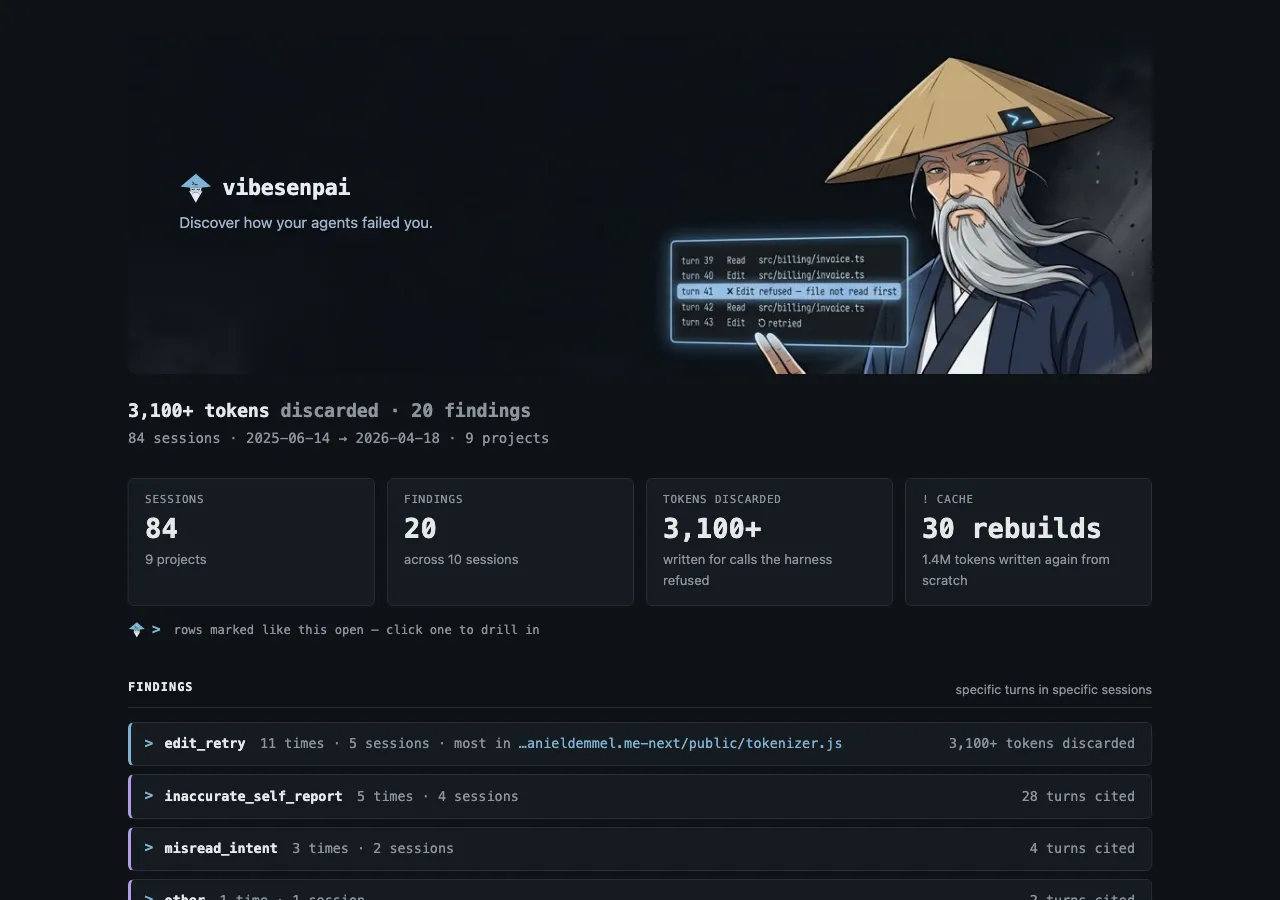
What it prints
From a demo run over the public test data of claude-code-log (MIT):
  84 sessions · 20 findings — opened in your browser  ~/.local/share/vibesenpai/reports/<date>-<time>.html
  Run /vibesenpai:insights for the fixes, and Apply
If the browser could not be opened, it says so and gives the command that opens the file. While the model reads are still catching up, it says how many sessions are left.
What is in the report
All of your history, not a date range:
- Headline: tokens lost on refused edits, the number of findings, and the sessions, dates and projects covered.
- Findings: one block per kind, with how many times, in how many sessions, and the turns cited. Each finding shows the prompt it answered, the quote, the model’s account and its fix.
- Cache: only rebuilds, each with its turn, the gap before it and what was written.
- Sessions: each with the prompts and turns that matter, those with findings first.
- Coverage: what was read, and what could not be.
The file
| where | ~/.local/share/vibesenpai/reports/<date>-<time>.html, in local time |
| permissions | readable only by you (0600, in a 0700 directory) |
| offline | one file. Images are embedded and nothing is fetched |
| script | one small inline script for the copy buttons; nothing else runs |
The report holds quotes from your sessions. It is written into the store, not your working directory, so it cannot end up in a commit by accident.
Related
/vibesenpai:insights | the same findings in the pane, with Apply |
| Reference | the store, and what happens if you delete each file |